Runs: overview
A run is a discrete period in which data is being collected. It has a defined start and end, and all data collected within that period is grouped together and associated with a unique run number.
Runs allow you to segment data by time period, detector configuration, or beam conditions. Each data file contains a copy of the ODB, so you know what settings/state the detector was in for that run.
Runs are started either manually (using buttons on the midas web interface) or automatically via code.
Subruns are used to segment a run into multiple data files, to ensure that file sizes don't become unreasonably large. The run continues unimpeded; the logger just starts writing to a new file. See the data logging documentation for more details on how to configure when a new subrun should start.
Run states and transitions
The midas DAQ system can be in three states - Stopped, Running, and Paused. The user can Start, Stop, Pause or Resume the run:
stateDiagram
  direction LR
    Stopped --> Running: Start
    Running --> Paused: Pause
    Running --> Stopped: Stop
    Paused --> Running: Resume
    Paused --> Stopped: Stop
The run number is incremented when a run is started.
Pausing a run allows you to temporarily avoid writing data to disk when you know that experimental conditions are poor (e.g. the beam is down). When you resume the run, data collection continues with the same run number.
In general, data is only written to data files when in the Running state. However it is possible to record data in the history system at any time, even when the run is Stopped. This is useful for "slow control" monitoring of temperatures, pressures etc.
Any client can ask to be told about each run transition, and the sequence/order in which they should be told. The sequencing allows you to satisfy any dependencies that your hardware/software has (e.g. having one program compute a value that another program relies on, or ensuring that a device is powered-on before software tries to communicate with it).
Starting and stopping a run
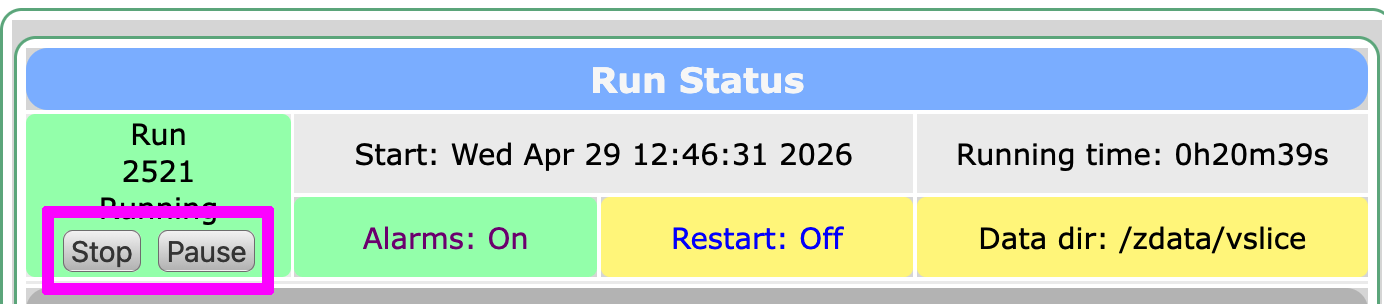
Runs can be started manually using buttons on the midas status page or from the Transition webpage.
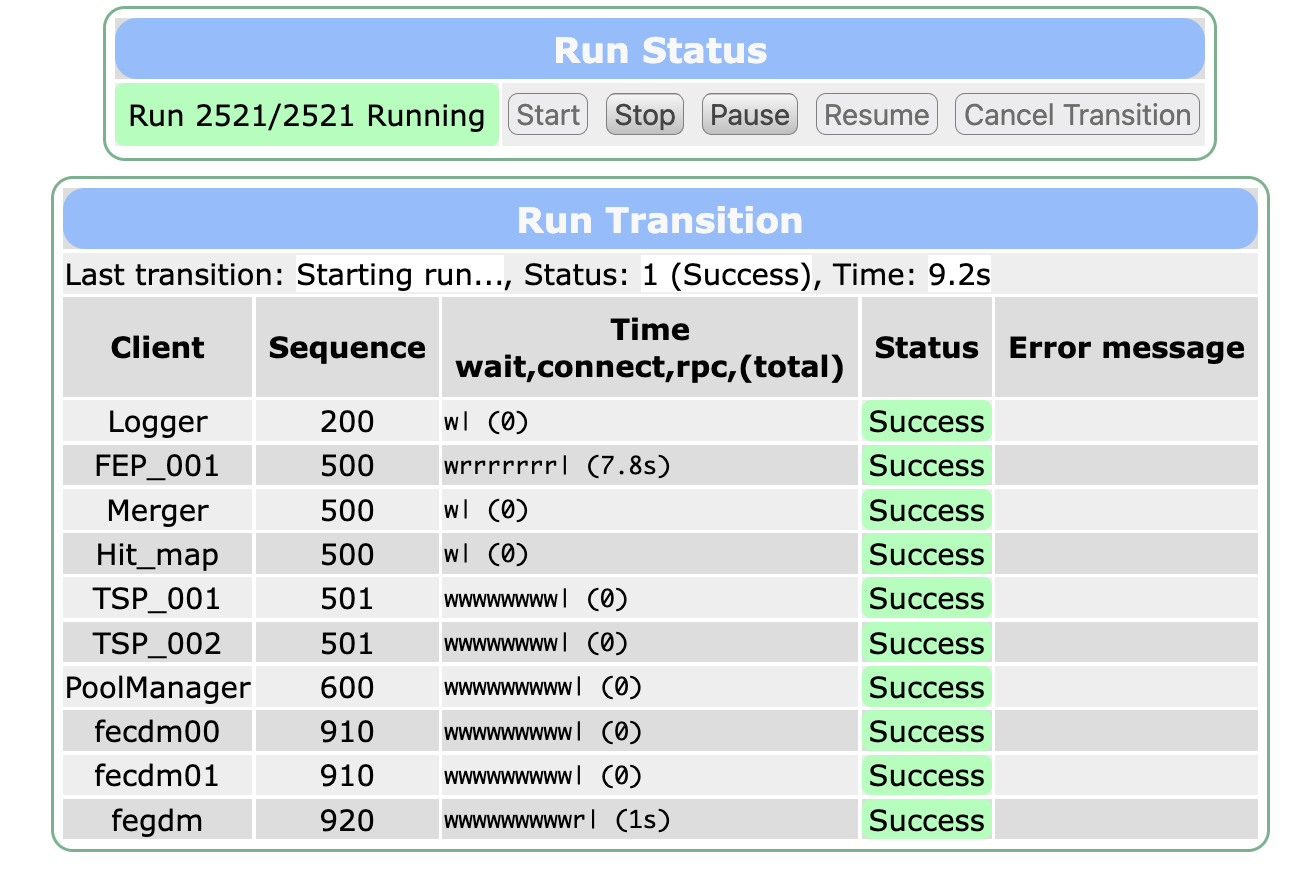 The Transition webpage also shows you the state of each client that asked to be told about the transition. Each client can do some work, and report back about whether the transition should proceed or not. For example, a client could check to make sure that a piece of hardware is responding correctly, and prevent a run from starting if it appears to be switched off. The client may report the error message, either directly on the Transition webpage, or in the midas message log.
Hiding the Pause/Resume buttons
You can hide the Pause/Resume buttons on webpages by setting /Experiment/Pause-Resume Buttons to n in the ODB.
Runs can also be started automatically by code, in the sequencer, or using the odbedit command-line tool.
Forcing a run to stop
Normally the run transition is sent to each client in turn, according to the sequence number. If one client is unresponsive (e.g. stuck in an infinite loop), this may cause the transition to "hang", with subsequent clients not being told about it.
To fix this, you can force the run to stop (i.e. tell all clients about the transition immediately) using the command-line:
odbedit -c "stop now"
The "stop now" command also skips any deferred transition that has been registered.